
A lobby that takes the stage
The home screen has been rebuilt from scratch. Your squad stands on stage, rewards are collected in one tap, and your friends’ Wi-Fi rooms show up on their own.
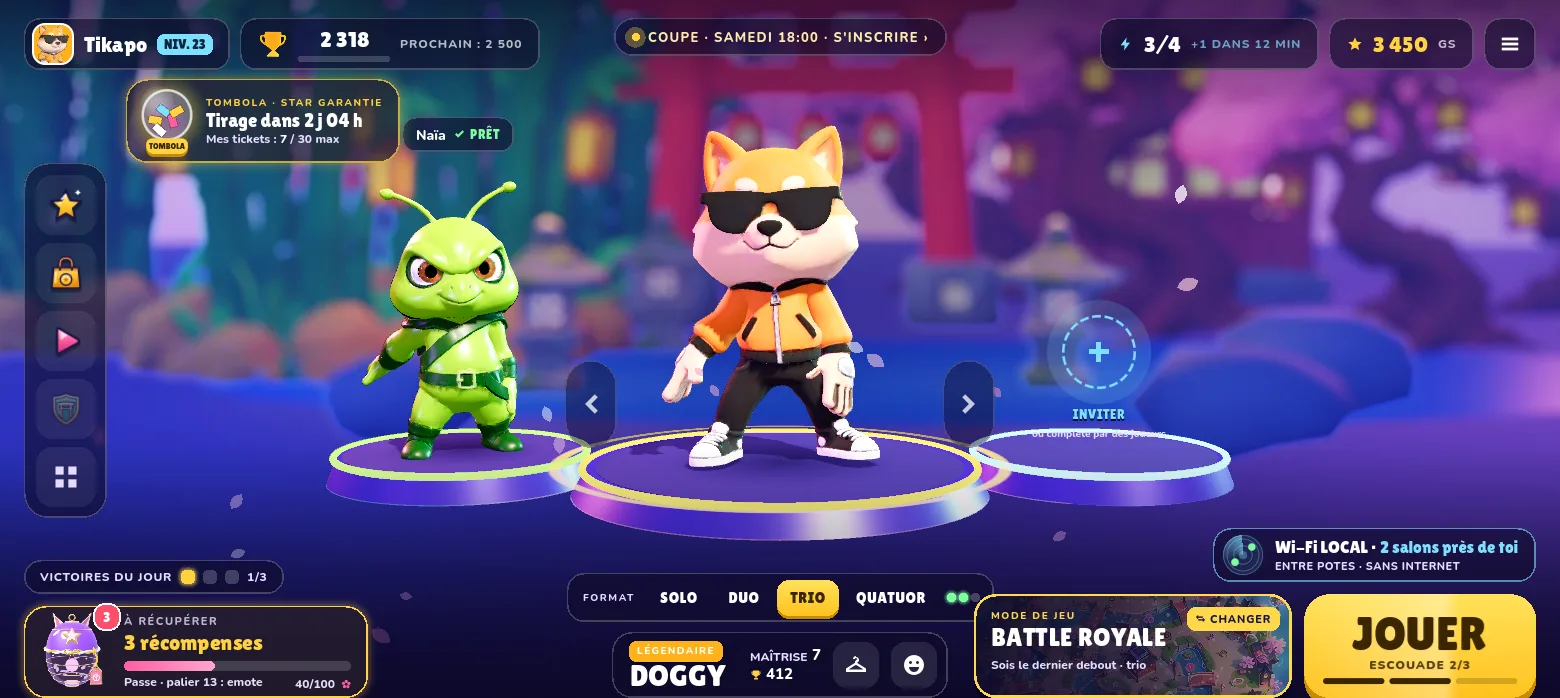
The lobby is the screen you see most, between two matches. The old one stacked buttons and menus. We rebuilt it around a single idea: your squad first.
Your squad on stage
Your Star stands in the center, in 3D, on a glowing pedestal. Your teammates are next to it, each on their own pedestal, with a “READY” badge once they have confirmed. The number of pedestals follows the format you pick: solo, duo, trio or squad of four, switched with one tap just below the stage. An empty slot is filled with “INVITE”.
The PLAY button charges up as the squad fills (“SQUAD 2/3”). You can tell at a glance if someone is missing.
Rewards in one tap
Daily quests, login streak, pass tiers: everything waiting to be collected is grouped in the bottom left. One tap on COLLECT ALL, and the cards open one after another.
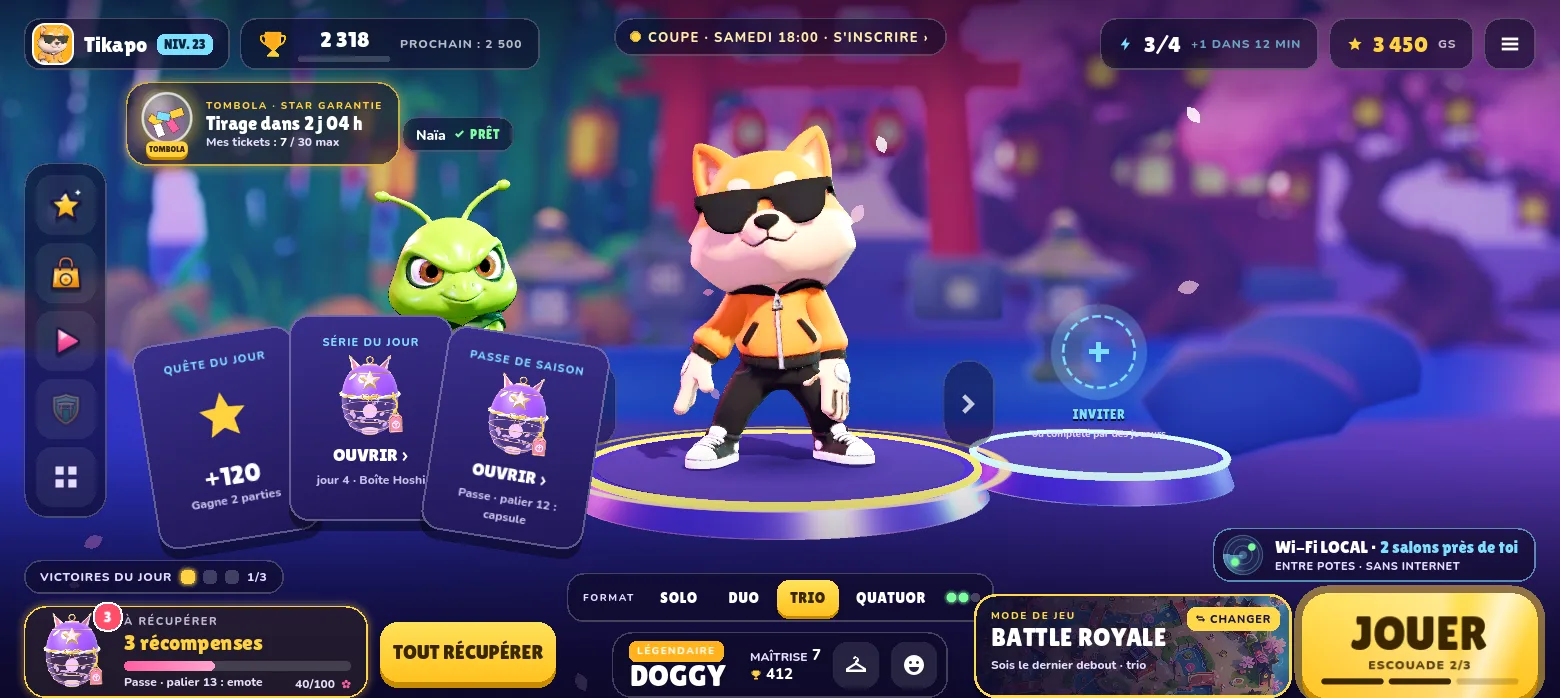
The weekly raffle stays visible in the top left, with the time left before the draw and your tickets.
Your friends on Wi-Fi, without looking for them
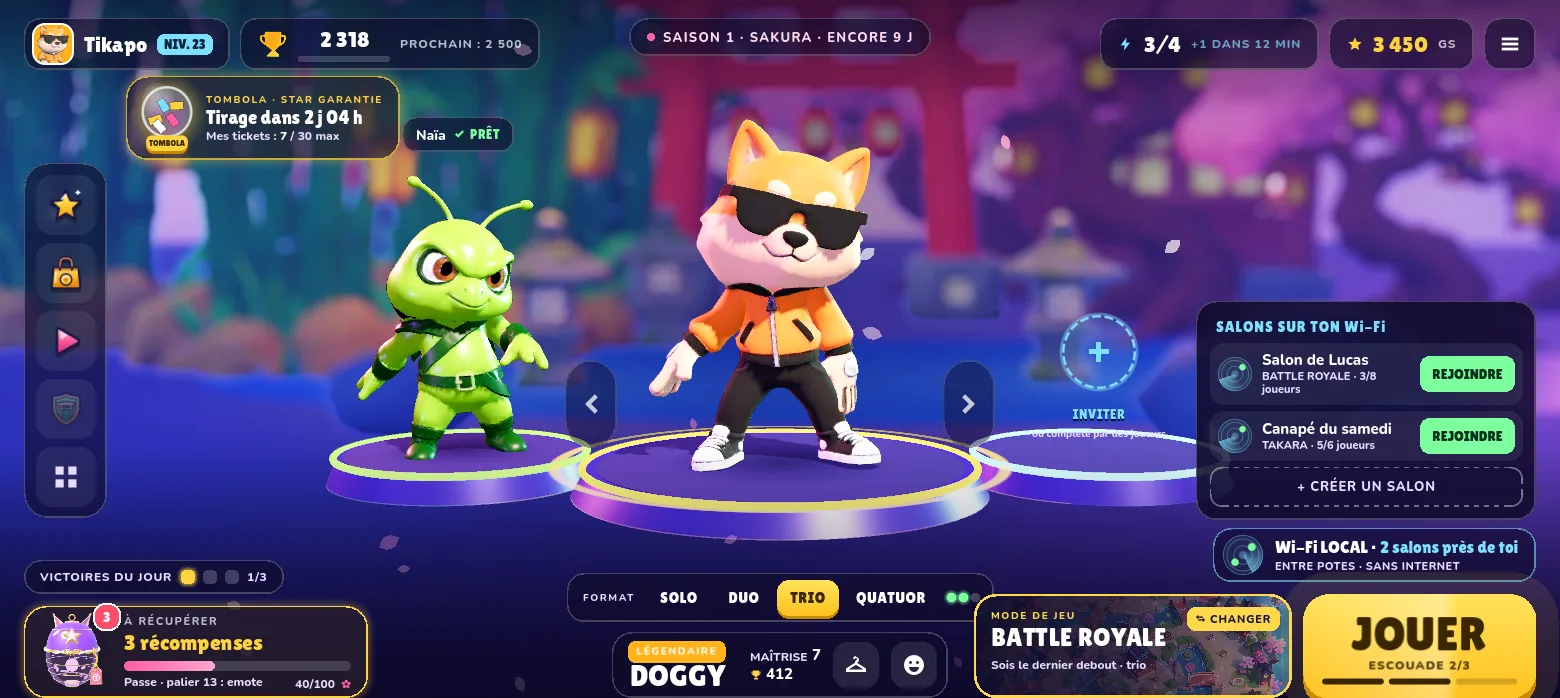
On the right, the LOCAL Wi-Fi badge watches for rooms open on your network. When friends are playing nearby, it shows how many rooms are close to you. One tap opens the list: join in one tap, or create your own room. No internet needed.
Light on small phones
The backdrop behind the stage is a pre-rendered seasonal image instead of a full 3D scene. Only the Stars and their pedestals stay in real-time 3D. The result: a better-looking lobby that is much lighter, which matters on modest phones. We also added light haptic feedback on the main buttons.
The new lobby arrived with version 3.0.8. If you prefer the old one, it is still available in Settings.
Play StarRiot
Available on Google Play. On iPhone and iPad: TestFlight beta.
App Store: under review by Apple