A pre-match screen in 3D
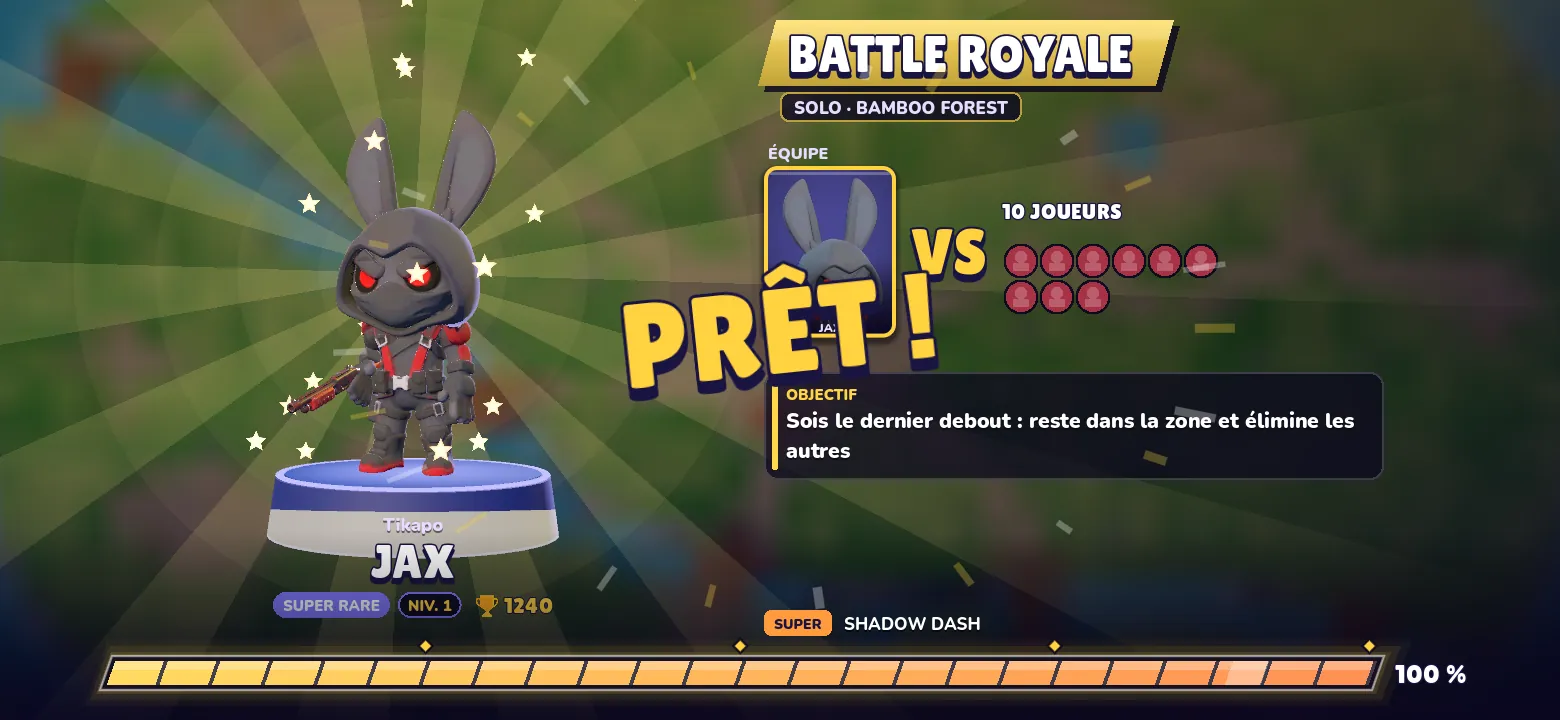
The loading screen before a fight now shows your Star in 3D, the teams and the mode’s objective. Meanwhile, the fight itself loads faster.
Between the lobby and the fight, there are a few seconds of loading. Until now, we filled them with three portraits and a bar. It was honest, and a little sad: yet this is the moment you most want to see your Star.
What you see now
Your Star is there, in 3D, with its skin and weapon, standing on a glowing pedestal as the camera pushes in. Behind it, a picture of the map you are about to play. On the right, everything you need to know before going in:
- the mode and the map, on a banner in the mode’s color;
- the teams, as portrait cards: your teammates on one side, opponents on the other;
- the mode’s objective, in one sentence;
- a rotating tip: about your Star, its Super or the mode.
At the bottom, the progress bar has become a stepped energy gauge. When it is full, “READY!” appears and the screen cuts diagonally to the fight.
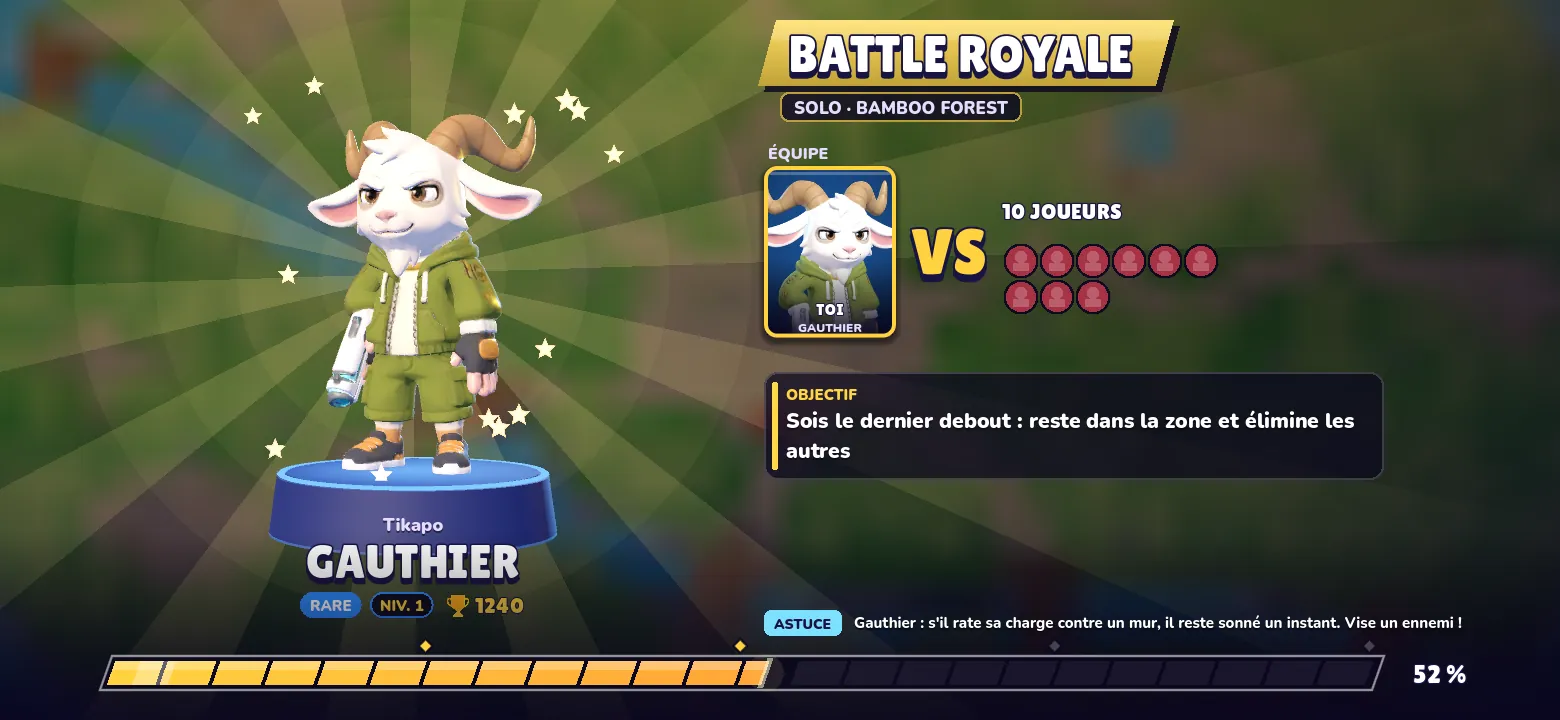
Opponents the game does not know yet show up as “?”. And a detail we cared about: nothing on this screen tells a bot from a player.
The hard part: keeping it smooth
Showing an animated 3D model while loading an entire fight means asking for two heavy things at once. The first version stuttered. So we reworked how the fight gets ready:
- the fight loads in the background, without drawing anything, one model at a time;
- the fight’s effects catalog (115 particles and materials) is no longer instantiated in one go, but rebuilt piece by piece;
- the pre-match Star is only built if its resources are already in memory. Otherwise, its portrait stands in until they arrive.
Measured on our development machine, empty cache, from lobby to fight: the worst frame goes from 1,885 ms to 88 ms, and loading from 5.6 s to 3.2 s. Numbers will vary from phone to phone, but the direction is right.
On smaller devices
On a slow phone, with little memory or on Low quality, the screen stays in 2D: same information, a portrait instead of the model. The “Reduce effects” setting removes the rays and sparks. We would rather have a sober pre-match than one that lags.
This new screen ships with the next game update.
Play StarRiot
Available on Google Play. On iPhone and iPad: TestFlight beta.
App Store: under review by Apple